Quick answer
An IPTV UK free trial is a short, no-cost login (ours lasts 24 hours) that lets you test channels, picture quality and the TV guide on your own TV and broadband before paying. Ask for it on WhatsApp, install a player app, then test at the times you normally watch, especially busy evenings.
Key takeaways
- A trial is only useful if you test on your own device, your own broadband and at your usual viewing times.
- Check five things: stability at peak times, the TV guide, catch-up, picture quality and how fast support answers.
- A provider that wants payment details before it will give you a trial is a red flag.
- If the trial goes well, start with a short plan, then move to a longer one once you are sure.
What is an IPTV UK free trial (and what is it not)?
An IPTV UK free trial is a temporary login to an IPTV service. It works exactly like a paid account: you add the details to a player app and your channels, films and series appear with a TV guide. The only difference is that it expires, usually after a day.
It is not a free service you can keep using, and it is not a demo video. A good trial gives you the same servers, the same channel list and the same picture quality as paying customers, so what you see is what you will get.
At IPTV United Kingdom the trial lasts 24 hours and costs nothing. You ask for it on WhatsApp, tell us your device, and we send the login and setup steps for your device. Other providers in our network work the same way, for example the Golden Gate IPTV free trial and IPTVCA's 24-hour trial for Canadian viewers, which shows that testing before buying is the normal way to start rather than a special offer.
How do I get a 24-hour IPTV UK free trial?
- Message us on WhatsApp and say you want the free trial.
- Tell us which device you watch on: Firestick, Samsung or LG Smart TV, Android TV box, MAG box, phone or computer.
- We reply with the login details and the setup steps for that device.
- Install the player app and add the login. If you are not sure which app suits your TV, our device-by-device setup guide covers each one.
- Start testing as soon as the login arrives, so you get the full benefit of the 24 hours.
Plan your trial around your viewing. If you mostly watch on Saturday evenings, ask for the trial on Saturday afternoon. Testing at 10am on a Tuesday tells you very little about how a service copes when everyone is watching.
What should I test during an IPTV UK free trial?
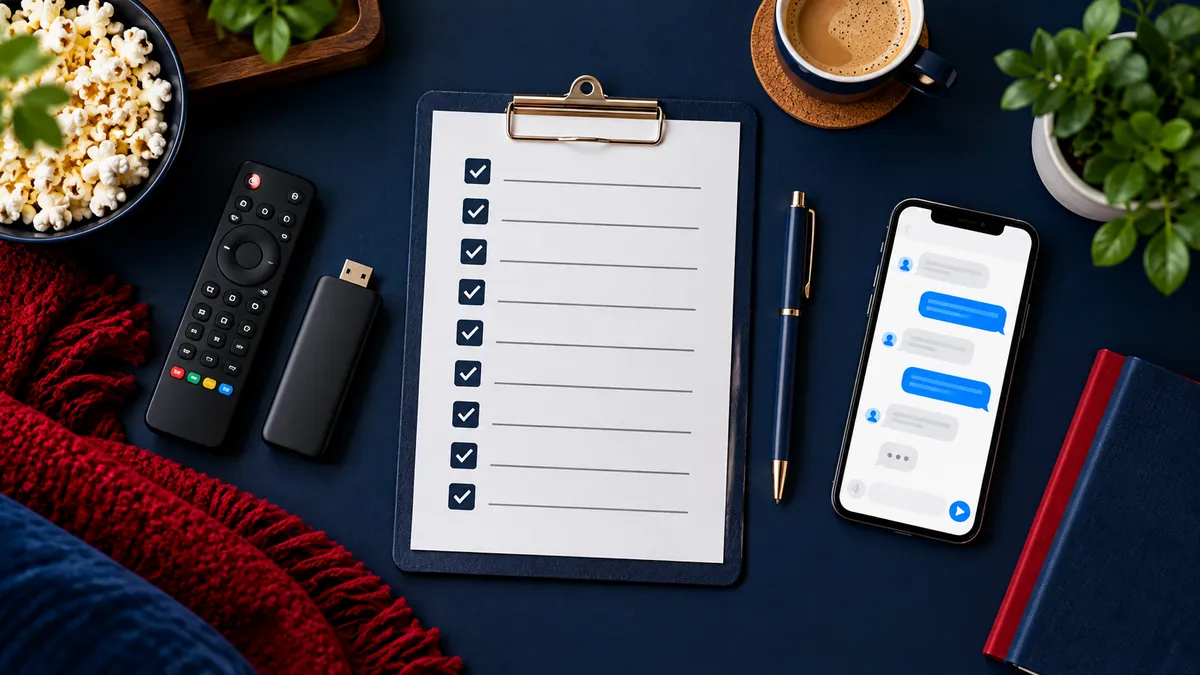
Most people open a couple of channels, see a picture and decide. That is the fastest way to buy the wrong service. Use this checklist instead:
| What to test | How to test it | What good looks like |
|---|---|---|
| Stability at peak times | Watch for 30 minutes on a busy evening | No freezing, or a quick recovery if it happens |
| Channel switching | Change channel ten times in a row | Each channel opens in a few seconds |
| TV guide (EPG) | Open the guide for your favourite channels | Programme names and times are filled in |
| Catch-up | Go back to a programme from earlier today | It plays on channels marked for catch-up |
| Picture quality | Compare HD, Full HD and 4K versions | Sharp picture that matches your TV |
| Films and series | Start a film and skip forward | Starts quickly and keeps up when you skip |
| Support | Send a question on WhatsApp | A clear answer, not a copy-paste |
Write down anything that does not work and send it to support during the trial. How a provider handles a problem tells you more than a perfect first impression. If you watch in 4K, read what you need for 4K IPTV first, because a standard HD Firestick or slow Wi-Fi will limit what you see.
How do you get the most out of the test?
- Use the device you will really use. A trial on your phone tells you nothing about your living-room TV.
- Connect by cable if you can. Ethernet removes Wi-Fi as a cause of buffering, so you test the service, not your router.
- Close other heavy downloads. Game updates or cloud backups on the same broadband can cause buffering that is not the provider's fault.
- Test the channels you care about. A huge channel count means nothing if the three you watch most are missing. Our guide to checking IPTV UK channels shows how to search for them quickly.
- Try catch-up and the guide. These are the features you will use every day.
What are the red flags during a trial?
A free trial also protects you from bad sellers. Walk away if you see any of these:
- The seller asks for card details or payment before giving a trial.
- The trial is only a few minutes long, too short to test anything properly.
- The trial account works perfectly but you are pushed to pay for 12 months immediately.
- There is no written refund policy, no terms and no way to contact anyone after you pay.
- Support stops replying once you have asked for the trial.
Before you pay any provider, read its refund terms in full, not just the headline. Ours are set out on our refund policy page, including when a refund applies and how to claim.
Which plan should you choose after the trial?
If the trial went well, you know the service works on your setup. The next question is how long to commit, and the answer depends on how sure you are rather than on the channels, because every plan includes the same channels and features.
Plans run 1, 3, 6 or 12 months, from £10. See what £49 a year includes if the trial convinced you, or start with a single month if you want a few more weeks of normal evenings before deciding. The IPTV UK price guide adds up the yearly cost with the TV licence and a device, and the IPTV United Kingdom home page lists what every plan includes.
Frequently asked questions
Is the IPTV UK free trial really free?
Yes. It costs nothing, and you only pay if you decide to buy a plan afterwards.
How long does the IPTV UK free trial last?
24 hours, which is enough to cover a busy evening, the TV guide and catch-up. Start testing as soon as the login arrives.
Can I get a free trial on a Firestick?
Yes. Tell us you use a Firestick and we send the steps for it. Check our Firestick buying guide too, because newer Fire TV models handle apps differently.
What if my trial ran out before I could test properly?
Message support on WhatsApp and explain what happened, for example a broadband fault or a device problem. We will look at it with you.
What happens when the trial ends?
The login simply stops working. Nothing renews and nothing is charged. If you want to continue, choose a plan on WhatsApp.